What Is a Domain Name? The Complete Beginner’s Guide (2026)

Informational Guide
A domain name is the address people type to find your website, like wpessentialshub.com — it replaces a numeric IP address with something memorable. A .com typically runs $9–$13 for the first year and renews at $10–$22 depending on the registrar, so it always pays to check the renewal price before you buy and register your domain separately from your hosting.
- A .com domain averages $9–$13 for year one, with renewal prices ranging from $10 (Cloudflare) to $22 (GoDaddy).
- DNS changes to a newly connected domain can take anywhere from a few minutes to 48 hours to fully propagate.
- Namecheap and Porkbun include free WHOIS privacy protection; GoDaddy charges extra for it.
- Google has confirmed exact-match keyword domains are not a significant ranking factor on their own.
- Expired domains typically enter a 30–45 day grace period, followed by a costly redemption period before release.
A domain name is the address people type into a browser to find your website — like wpessentialshub.com. It replaces a long string of numbers (an IP address) with something humans can actually remember. This is one of the most misunderstood concepts in web hosting for first-time site owners, so let’s break it down from scratch.
By the end of this guide, you’ll know exactly what a domain name is, how it differs from your URL and web hosting, what it actually costs in 2026, how it connects to a WordPress site specifically, and how to register one without falling into the renewal-price trap that catches so many beginners.
What Is a Domain Name? (Simple Definition)
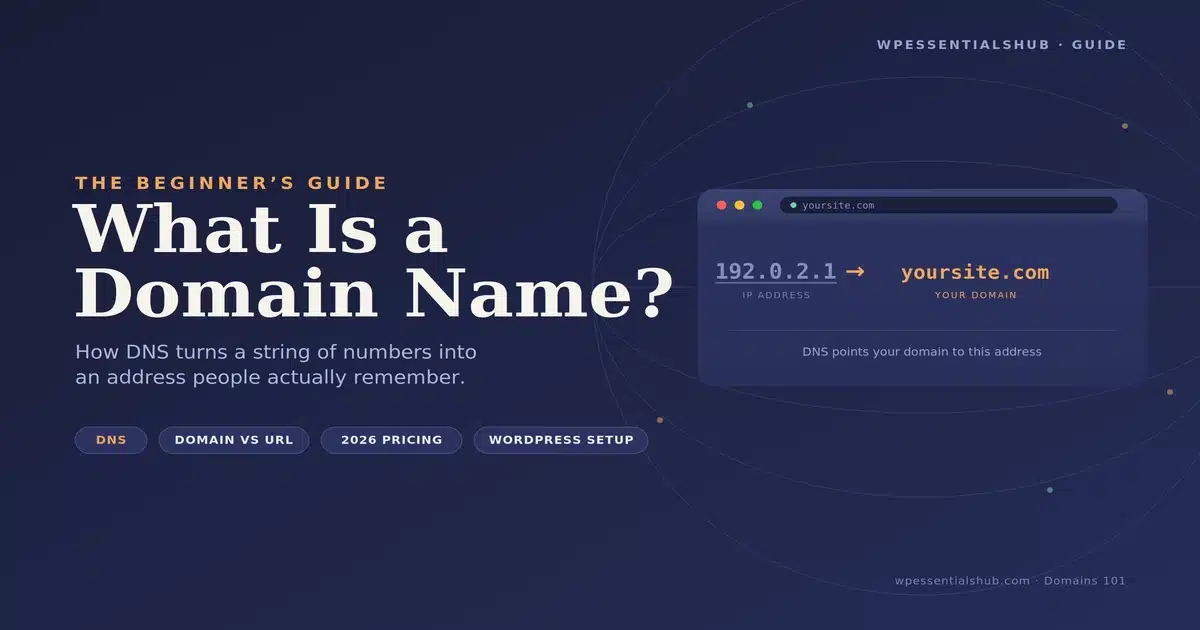
Every website actually lives on a server with a numeric IP address, something like 192.0.2.1. Nobody wants to memorize that, so domain names exist as a shortcut. When you type wpessentialshub.com into your browser, a system called DNS translates that name into the server’s real IP address behind the scenes.
A few real examples of domain names:
- google.com
- wikipedia.org
- wpessentialshub.com
- my-local-bakery.shop
Each one follows the same basic pattern: a unique name, followed by an extension like .com, .org, or .shop.
How Do Domain Names Actually Work? (DNS Explained Simply)
DNS isn’t exciting, but understanding it for five minutes saves hours of confusion later, especially when connecting a domain to hosting. Here’s what happens when someone visits your site:
- They type your domain name into their browser.
- Their computer asks a DNS resolver, “Where does this domain point?”
- The resolver checks your domain’s nameservers, which are set at your registrar.
- The nameservers return a set of DNS records, including an A record that holds your server’s IP address.
- The browser connects to that IP address and loads your website.
This whole process usually takes a fraction of a second — it’s running every single time someone visits any website.
When you buy hosting, you’ll need to point your domain’s nameservers (or a specific DNS record) to your host. This step trips up more new site owners than almost anything else in setup. If your site “isn’t loading” after registering a domain, 9 times out of 10 it’s a DNS pointing issue, not a broken website.
DNS changes aren’t instant, either. They can take anywhere from a few minutes to 48 hours to fully propagate across the internet, a timeline WPBeginner’s DNS configuration guide also confirms, since different DNS resolvers around the world update on their own schedule.
Which DNS records will you actually run into as a beginner?
| Record Type | What It Does |
|---|---|
| A Record | Points your domain to a server’s IP address (e.g., @ → 192.0.2.1) |
| CNAME Record | Points a subdomain to another domain name (e.g., www → wpessentialshub.com) |
| MX Record | Routes email for your domain to a mail server (e.g., @ → mail.google.com) |
| TXT Record | Stores verification text, often for email security (SPF, DKIM) |
A typical registrar DNS management panel showing A, CNAME, and MX records.
Domain Name vs. URL vs. Web Hosting
These three terms get mixed up constantly. Here’s a clean breakdown.
| Term | What It Actually Is | Example |
|---|---|---|
| Domain Name | The address of your website | wpessentialshub.com |
| URL | The full path to a specific page, built on top of your domain | https://wpessentialshub.com/best-hosting |
| Web Hosting | The physical server space where your website’s files actually live | A hosting account with a provider like SiteGround |
A common beginner mistake is assuming a domain name comes with hosting included, or that hosting includes a free domain forever. Some hosts bundle a free domain for the first year, but after that you’re typically billed for the domain and hosting separately, often through the same account.
The Parts of a Domain Name Explained
A domain name has more structure than it looks like at first glance. Take blog.wpessentialshub.com as an example:
- Subdomain: blog — an optional prefix used to organize a section of your site
- Second-Level Domain (SLD): wpessentialshub — the actual name you chose
- Top-Level Domain (TLD): .com — the extension
Most beginners only ever deal with the SLD and TLD, since subdomains are an optional feature you can add later (for example, shop.yoursite.com for an online store section).
Connecting Your Domain to WordPress
Since most readers here are running (or planning to run) a WordPress site, it’s worth covering the WordPress-specific side of domains that generic domain guides skip entirely.
How do I update my Site Address after switching domains?
If you register a new domain and move an existing WordPress site to it, pointing DNS isn’t the last step. You also need to update the Site Address (URL) and WordPress Address (URL) fields under Settings > General in wp-admin — as WordPress.org’s own documentation on the General Settings screen explains — otherwise WordPress will keep generating links to the old domain, breaking images, menus, and internal links across your site.
What about domain mapping on WordPress Multisite?
If you’re running a multisite network, each subsite can use its own custom domain instead of a subdomain or subdirectory of the main network, a process WordPress.org’s Advanced Administration Handbook covers in detail. This is typically handled through your host’s domain mapping tools or a mapping plugin, and it’s a separate step from simply registering the domain at your registrar.
Does buying a domain include SSL?
Buying a domain does not automatically give your site HTTPS. Most managed WordPress hosts issue a free SSL certificate automatically once your domain is pointed to them, but it’s worth confirming this in your host’s dashboard rather than assuming it’s already active.
The Site Address (URL) and WordPress Address (URL) fields under Settings > General.
Does Your Domain Name Affect SEO Rankings?
This is one of the most common questions beginners ask, and the honest answer is: less than most people assume, but not zero.
Google has confirmed that having your exact keyword in your domain name — sometimes called an “exact match domain,” like BestWordPressHosting.com — is not a significant ranking factor on its own. A keyword-stuffed domain name with weak content will always lose to a strong, well-optimized domain with genuinely useful content.
That said, a domain name still influences SEO indirectly in a few real ways:
- Click-through rate. A clear, relevant domain name in search results can slightly improve how often people click your listing over a competitor’s.
- Brand searches. A memorable domain name makes it easier for people to search for your brand directly later, which search engines do factor into authority over time.
- Domain age and history. A domain that’s been registered and actively used for years can carry a small trust advantage over a brand-new domain, assuming it wasn’t previously used for spam.
- Backlink anchor text. When other sites link to you, they often use your domain name as anchor text, which reinforces relevance for your brand terms.
Domain Extensions (TLDs) Explained
The extension at the end of your domain — the TLD — used to be limited to a handful of options. Today there are over 1,500 TLDs available, though only a small group actually gets meaningful traction.
Which TLD should you choose in 2026?
| Extension | Best For | Trust Level |
|---|---|---|
| .com | Any business, blog, or brand | Highest — the default choice for most sites |
| .org | Nonprofits, communities, associations | High |
| .net | Tech companies, alternatives when .com is taken | Medium-high |
| .io | Startups, SaaS, tech products | Medium (popular in tech niches) |
| .co | Modern brands, short alternatives to .com | Medium |
| .shop / .store | E-commerce sites | Medium — growing adoption |
| .blog | Content-focused sites | Medium |
Across client projects, .com still converts better for general audiences and is easier for people to remember and trust. If your ideal .com is taken, tweaking the name slightly and keeping .com usually beats jumping to an unfamiliar extension — unless you’re in a niche where an alternative extension is standard (like .io for software startups).
Country-code TLDs also exist, like .uk, .ca, or .de, and these matter if you’re specifically targeting a local audience in that country. A .co.uk domain, for instance, can give a small trust boost with UK-based customers.
Premium Domains and Buying an Existing Domain
Sometimes the exact domain name you want is already registered — but not necessarily in active use. This is where premium domains and domain marketplaces come in.
Domain marketplaces like Sedo, Afternic, and Namecheap Marketplace let you buy domains directly from current owners who aren’t using them actively. This route works best when:
- The domain is a near-perfect brand match you’re not willing to compromise on.
- You’ve confirmed the seller through a reputable marketplace with escrow protection (never wire money directly to an individual seller).
- You’ve budgeted for the fact that aftermarket domains often cost significantly more than a fresh registration.
Domain Name vs. Brand Name: How They Work Together
Your domain name and your brand name don’t have to be identical, but the closer they align, the easier your marketing becomes.
If your brand name is available as a .com, register it — this is the cleanest outcome and the one to try first. If it’s taken, you have a few realistic options:
- Add a relevant word. “Bloom” becomes “BloomStudio.com” or “GetBloom.com.”
- Use a different but still credible extension. “Bloom.co” or “Bloom.io” if your audience is comfortable with alternative extensions.
- Slightly adjust the brand name itself. Sometimes it’s easier to tweak the brand to fit an available domain than to force a domain to fit a taken brand name.
How Much Does a Domain Name Cost in 2026?
This is where things get a little tricky, and it’s exactly the part most beginner guides gloss over. Domain pricing has two layers: the introductory price and the renewal price, and they’re often very different.
What’s typical .com pricing across major registrars?
| Registrar | First-Year Price | Renewal Price | Free WHOIS Privacy |
|---|---|---|---|
| Namecheap | $8.98 – $10.98 | $15.98 | Yes |
| Porkbun | $9.13 – $10.37 | $10.37 – $12.00 | Yes |
| Cloudflare | $9.77 (at-cost pricing) | $9.77 | Yes |
| GoDaddy | $0.99 – $11.99 (promo) | $19.99 – $21.99 | No — paid add-on |
Pricing verified January 15, 2026. Registrar pricing changes frequently — always confirm current rates before purchasing.
Cloudflare stands out because it charges at-cost pricing with no markup at all, meaning your renewal price stays close to your first-year price. Namecheap and Porkbun both include free WHOIS privacy protection, which hides your personal contact info from public domain records — GoDaddy charges extra for this, which is worth factoring into your real cost comparison.
Always check the renewal-price line item before completing checkout.
Best Domain Registrars Compared
Beyond pricing, here’s how the major registrars stack up on the features that actually matter day to day.
| Registrar | Best For | DNS Management | Support | Rating |
|---|---|---|---|---|
| Namecheap | Beginners wanting simplicity + fair pricing | Easy, beginner-friendly dashboard | Live chat, 24/7 | 4.6/5 |
| Cloudflare Registrar | Users already using Cloudflare for CDN/security | Deeply integrated with Cloudflare tools | Community + ticket support | 4.5/5 |
| Porkbun | Budget-conscious buyers who want low renewals | Clean, modern interface | Email support | 4.4/5 |
| GoDaddy | Users who want one-stop hosting + domain + marketing tools | Functional but upsell-heavy | Phone + chat, 24/7 | 3.8/5 |
Our honest take: for most beginners, we recommend Namecheap. The pricing is fair on both ends, the dashboard doesn’t try to upsell you constantly, and WHOIS privacy is included free. If you’re already running your site through Cloudflare for performance or security, registering directly through Cloudflare Registrar keeps everything in one place and avoids markup entirely.
GoDaddy isn’t a bad registrar technically, but the interface pushes a lot of paid add-ons during checkout, and beginners often end up paying for extras they didn’t need. If you go with GoDaddy, read every checkout screen carefully before clicking “add to cart.”
How to Choose a Good Domain Name
A good domain name balances memorability, brandability, and search relevance. Here’s what to actually look for:
- Keep it short. Aim for under 15 characters when possible — shorter names are easier to type and remember.
- Avoid hyphens and numbers. my-site-24.com is harder to say out loud and easy to mistype compared to mysite.com.
- Choose .com when available. It’s still the extension people default to typing, even if you market a different one.
- Make it easy to spell. If you have to explain the spelling verbally, it’s going to cost you traffic.
- Check trademark conflicts. A quick search can save you a legal headache down the road.
- Think long-term. Avoid overly trendy names tied to a specific year or fad — you’ll likely be using this domain for years.
Say the domain out loud to someone and ask them to write it down without seeing it. If they get it wrong, the name needs work.
Domain names for personal blogs vs. businesses: if you’re starting a personal blog, you have more flexibility to use your own name, like janedoe.com, since the “brand” is you. This works well because your name is inherently memorable to people who already know you, and it gives you room to write about multiple topics without being boxed into one niche.
If you’re building a business, lean toward a name that reflects what you do or the outcome you deliver, rather than something abstract that requires explanation. A landscaping company named GreenAcreLandscaping.com communicates instantly. A landscaping company named Zephyra.com requires a tagline just to explain what the business does — that’s extra friction you don’t need.
Either path is valid, but be intentional about which one you’re choosing and why, since it affects how easily new visitors understand your site within the first few seconds of arriving.
A Real Example: Choosing a Domain Name Step by Step
Let’s walk through an actual scenario, since the process makes more sense with a concrete example than with tips alone.
Say you’re launching a WordPress consulting side business. You’ve settled on the brand idea “Bright Path WP.” Here’s the process to walk through:
- Check the exact match first. Search brightpathwp.com. If it’s available, that’s usually your answer — register it immediately before someone else grabs it.
- If it’s taken, test close variations. BrightPathWordPress.com is longer but still clear. GetBrightPathWP.com works too, and “Get” prefixes read naturally to most visitors.
- Say each option out loud. BrightPathWP.com is easy to say and spell. BrightPathWebPress.com sounds too close to “WordPress” and could cause confusion — cross it off.
- Run a quick trademark search. A search of the US Patent and Trademark Office database confirms “Bright Path” isn’t a registered trademark in a conflicting industry.
- Check social handles too. Even though this guide is about domains, confirming @brightpathwp is available across your key social platforms keeps your branding consistent everywhere.
- Register through your chosen registrar, add WHOIS privacy, decline unnecessary upsells, and enable auto-renew immediately.
This entire process realistically takes 20–30 minutes when you’re being thorough, and it’s time well spent. Rushing this step is exactly how people end up stuck with a domain name they regret two years into running their business.
How to Register Your Domain Name (Step-by-Step)
Registering a domain takes about ten minutes once you know what you’re doing. Here’s the exact process.
Search for availability
Go to your chosen registrar and type your desired name into the search bar.
Check extension options
If your .com is taken, the registrar will suggest alternatives — evaluate them against the naming tips above.
Add WHOIS privacy protection
Confirm it’s included free (Namecheap, Porkbun, Cloudflare) or add it manually if it’s a paid extra (GoDaddy).
Skip unnecessary add-ons
Most registrars try to upsell email hosting, site builders, or SSL certificates you don’t need yet — decline these at checkout.
Create your account and complete payment
Use accurate contact info, since this becomes your domain’s official registration record.
Verify your email
ICANN requires domain owners to confirm their email within 15 days, or the domain can be suspended.
Point your domain to your host
Update your nameservers or DNS records to connect the domain to your hosting account.
That last step is where most beginners get stuck, since every host has a slightly different nameserver address. Your hosting provider’s welcome email or dashboard will list the exact nameservers to use.
- Wait a full 24 hours before troubleshooting further — DNS propagation is often the simple culprit.
- Double-check you entered the nameservers or A record exactly as your host provided them, with no extra spaces or typos.
- Clear your browser cache or try loading the site in an incognito window, since your own browser may be caching the old (blank) result.
- Use a free DNS checker tool to confirm your domain is actually pointing to the new server worldwide.
Common Domain Name Mistakes to Avoid
These mistakes show up repeatedly across client projects and beginner forums:
- Letting the domain expire. If you don’t renew on time, you risk losing it entirely to a squatter who re-registers it the moment it lapses.
- Registering through an unfamiliar, ultra-cheap registrar. Some rock-bottom registrars have poor support and make transfers difficult later.
- Skipping WHOIS privacy. Without it, your name, address, and phone number become publicly searchable.
- Buying multiple confusingly similar domains “just in case.” This adds ongoing cost without meaningful benefit for most small sites.
- Forgetting to enable auto-renew. A single missed renewal email can mean losing years of built-up SEO authority on that domain.
- Not double-checking the registrar’s true renewal price before committing, especially with promotional first-year pricing.
- Registering a domain in a business partner’s personal account. If a partnership ends, ownership disputes over the domain can get messy fast — register under a shared business account when possible.
- Ignoring domain lock settings. Most registrars offer a free “registrar lock” that prevents unauthorized transfers. Leaving it disabled makes your domain an easier target for hijacking.
- Choosing a domain name too close to a competitor’s. Beyond the trademark risk, it confuses customers and can direct traffic you worked hard to earn straight to a competitor.
Domain Name Pros and Cons: Buying Separately vs. Through Your Host
Many hosting providers, from basic shared plans to fully managed WordPress hosting environments, offer a “free domain” when you sign up for hosting. It sounds convenient, but it comes with trade-offs.
Buying Separately (Registrar)
- Full control, easy to switch hosts later
- Often better renewal pricing and privacy included
Through Your Host
- One extra account to manage / requires a DNS pointing step (registrar route)
- Some hosts charge high renewal prices after year one
Our general recommendation: buy your domain separately through a dedicated registrar like Namecheap, then point it to whichever host you choose. It keeps your domain independent of your hosting decision, which matters if you ever want to switch hosts without touching your domain setup at all.
Key Takeaways
- A domain name is your site’s human-readable address; DNS connects it to your hosting server.
- Always compare the renewal price, not just the first-year promo price.
- Keep your domain and hosting with separate providers for maximum flexibility.
- Choose .com when possible, prioritize memorability over keyword-stuffing, and enable auto-renew.
- After connecting a new domain to WordPress, update the Site Address and WordPress Address URLs in Settings > General.
Frequently Asked Questions
What is a domain name in simple terms?
Do I need to buy hosting and a domain separately?
How much does a domain name cost per year?
Can I change my domain name later?
What happens if I don’t renew my domain?
Is a free domain from my hosting company a good deal?
Does a domain name include email addresses?
How many domain names should I register for my business?
Bottom Line: Our Domain Name Recommendation
Which Registrar Should You Actually Use?
A domain name is simply your website’s address — but the registrar you choose and the pricing structure you agree to have a real, lasting impact on your costs and flexibility down the road. For most beginners, we recommend registering through Namecheap for the combination of fair pricing, free WHOIS privacy, and a beginner-friendly dashboard. If you’re already inside the Cloudflare ecosystem, Cloudflare Registrar’s at-cost pricing is hard to beat long-term. Whichever registrar you choose, keep your domain separate from your hosting account, enable auto-renew, and double-check that renewal price before you commit.
WP Essentials Hub — Your Complete WordPress Essentials Hub
I’m Shamim Sarker, the founder and lead reviewer at WP Essentials Hub — a dedicated WordPress toolkit review site where I help website owners, bloggers, and developers find the right tools to build, grow, and secure their WordPress sites.
With 8+ years of hands-on WordPress experience, I’ve personally built, tested, and troubleshot hundreds of websites. I cover themes, page builders, plugins, hosting, domains, coupons, and deals — all tested on live WordPress sites with my own money. No paid placements. No vendor influence. Just real testing and real results.