Best Free WordPress Themes in 2026 (Compared & Reviewed)


Disclosure: This post contains affiliate links. If you buy through one of them, we may earn a commission at no extra cost to you. We only recommend tools we’d genuinely suggest to a friend.
Pricing last verified: September 1, 2026
The best free WordPress theme overall in 2026 is Astra, thanks to its speed, page-builder compatibility, and 1M+ active installs. If you want a modern Full Site Editing experience, Kadence and Blocksy are the top picks. GeneratePress remains the go-to for developers who want the cleanest code.
- Astra leads with 1M+ active installs and 6,000+ five-star reviews, per its WordPress.org listing, and works with every major page builder.
- Kadence requires WordPress 6.3+ / PHP 7.4+ — the steepest minimum on this list — and its Pro tier now runs through the Nexcess/Liquid Web platform at $299/year.
- GeneratePress holds a near-perfect 5-star average across 1,426 ratings, and its $59/year Premium license covers up to 500 sites.
- Twenty Twenty-Five, WordPress core’s own default theme, has 1M+ installs and no Pro upgrade at all — a genuinely zero-cost option.
- Astra, Kadence, and GeneratePress all have free tiers strong enough to run a real business site indefinitely — Pro mostly buys setup convenience, not missing functionality.
How We Evaluated These Themes
Before ranking any theme, we set clear criteria — the same fundamentals we cover in our guide to what a WordPress theme actually does. Every theme below was checked against the same standards, so the comparisons are fair.
Here’s what we looked at for each theme:
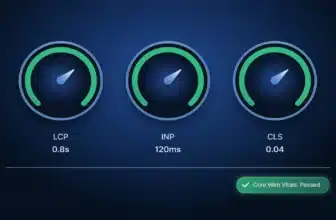
- Speed and Core Web Vitals: Google uses Core Web Vitals — including Largest Contentful Paint (LCP), INP, and CLS — as a ranking factor; see our breakdown of how WordPress themes affect Core Web Vitals for the full picture. We checked each theme’s reputation for lightweight code and fast load times using WordPress.org performance notes and independent benchmark reviews.
- Full Site Editing (FSE) compatibility: Block-editor support is now standard. We noted which themes are full FSE block themes versus classic themes with block-editor support bolted on.
- WordPress and PHP compatibility: We pulled the minimum WordPress version, minimum PHP version, and WooCommerce/multisite support directly from each theme’s official WordPress.org listing — this data doesn’t require hands-on testing to state accurately.
- Mobile responsiveness: Every theme on this list works well on phones and tablets. This isn’t optional anymore — most WordPress traffic is mobile.
- Update recency: A theme that hasn’t been updated in over a year is a security and compatibility risk. We checked each theme’s “last updated” date on WordPress.org.
- Free vs. Pro fairness: Some “free” themes hide basic features behind a paywall. We checked what you actually get without paying anything.
Most theme details below come from official WordPress.org listings, developer documentation, and verified user reviews — not hands-on installs on a live site. Where we’ve genuinely tested a theme ourselves, we say so clearly in that section.
Quick Comparison: Best Free WordPress Themes at a Glance
Here’s how the top free WordPress themes stack up side by side. This table pulls from each theme’s official WordPress.org listing and vendor pricing pages, checked as of September 2026.
| Theme | Best For | Requires (WP / PHP) | Active Installs | Pro Starting Price |
|---|---|---|---|---|
| Astra | Overall / beginners | WP 5.3+ / PHP 5.3+ | 1 million+ | $349 one-time (unlimited sites) or annual plans |
| Kadence | Design flexibility / WooCommerce | WP 6.3+ / PHP 7.4+ | 500,000+ | $299/year (Kadence Pro, now under Nexcess/Liquid Web) |
| GeneratePress | Developers / clean code | WP 6.5+ / PHP 7.4+ | 500,000+ | $59/year (covers up to 500 sites) |
| Neve | Blogs / service businesses | WP 5.5+ / PHP 7.0+ | 200,000+ | $69/year |
| OceanWP | WooCommerce stores | WP 5.9+ / PHP 7.4+ | 500,000+ | Paid extensions, tiered pricing |
| Blocksy | Full Site Editing / visual design | WP 6.7+ / PHP 7.0+ | 300,000+ | Tiered annual plans |
| Twenty Twenty-Five | Pure block-editor sites | WP 6.7+ / PHP 7.2+ | 1 million+ | Free — no Pro version (WordPress.org default theme) |
The Best Free WordPress Themes, Reviewed
Now that you know how we evaluated these themes, here’s a closer look at each one. We cover what each theme does well, where it falls short, who it actually fits, and who should look elsewhere.
Astra — Best Overall
Astra is the most popular free theme in the WordPress directory, with over 1 million active installs and 6,000+ five-star reviews, according to its official WordPress.org listing. That popularity isn’t an accident. It works with every major page builder, including Elementor, Beaver Builder, and Divi.
Compatibility: Astra requires WordPress 5.3+ and PHP 5.3+, giving it the widest backward-compatibility range among top themes. It’s fully compatible with WooCommerce. That’s great if you’re on older hosting, but it also means Astra’s code carries some legacy overhead that independent testers have flagged as extra CSS weight compared to leaner themes.
Pros
- Works with every major page builder
- 200+ free starter templates
- Huge community and documentation
Cons
- Slightly heavier CSS than GeneratePress or Kadence
- Some starter templates require the Astra Pro add-on
- Settings panel can overwhelm first-time users
Best For: Beginners and anyone who wants maximum page-builder flexibility.
Who Should Skip It: Developers who want the absolute lightest page weight straight out of the box — GeneratePress or Neve loads leaner by default.
Kadence — Best for Design Flexibility
Kadence stands out for its built-in header and footer builder, which lets you drag and drop navigation elements without a separate plugin. According to Kadence’s listing in the WordPress theme directory, it has 500,000+ active installs. Even the free version includes WooCommerce layout options, which is rare at no cost.
Compatibility: Kadence requires WordPress 6.3+ and PHP 7.4+ — the steepest minimum WordPress version on this list, so confirm your host meets it before switching. It supports WooCommerce natively.
One thing worth knowing before you commit: Kadence is now part of the Nexcess/Liquid Web family. Kadence Pro pricing has shifted toward a platform-subscription model, running $299/year, and now bundles security, backups, and client-management tools rather than just theme features.
Pros
- Built-in header/footer builder, no plugin needed
- Strong free WooCommerce layout support
- Well optimized for the block editor
Cons
- Pro tier has shifted toward a broader platform subscription
- Newer ownership structure (Nexcess/Liquid Web) may confuse existing users
- Pro pricing is higher than GeneratePress or Neve
Best For: Users who want visual header/footer control without installing extra plugins.
Who Should Skip It: Anyone on older or budget hosting that hasn’t updated past WordPress 6.2 or PHP 7.3 — check your host’s control panel first, or Astra’s wider compatibility range will be a smoother fit.
GeneratePress — Best for Speed and Clean Code
GeneratePress consistently earns praise from developers for its minimal, semantic code. According to its page in the official WordPress.org theme directory, it has 500,000+ active installs and a near-perfect 5-star average across 1,426 ratings. Premium licenses cover up to 500 sites for $59/year — one of the more generous multi-site deals in this list.
Compatibility: GeneratePress requires WordPress 6.5+ and PHP 7.4+, and is fully compatible with WooCommerce.
The free core theme hasn’t shipped a major update since December 2025. That’s not neglect — it reflects a stable, mature codebase. GeneratePress Premium still received a security-hardening update in May 2026, showing the plugin layer is actively maintained even when the core theme doesn’t need frequent changes.
Pros
- Extremely lightweight, fast-loading code
- $59/year Premium covers 500 sites
- Near-perfect user ratings
Cons
- Fewer built-in design elements out of the box
- Steeper learning curve for non-developers
- Starter templates are more limited than Astra’s
Best For: Developers and anyone who prioritizes speed and clean code over built-in design tools.
Who Should Skip It: Beginners who want a visual header/footer builder out of the box without touching custom CSS — Kadence or Astra will feel friendlier on day one.
Neve — Best for Blogs and Service Businesses
Neve is built for speed out of the box, with AMP-ready templates that work well for local service businesses and content-focused blogs. According to its WordPress.org listing, it has 200,000+ active installs; third-party reviewers commonly cite a rating around 4.5 out of 5. It pairs easily with Elementor and Beaver Builder for anyone who wants more visual control.
Compatibility: Neve requires WordPress 5.5+ and PHP 7.0+, and works with WooCommerce.
Neve Pro starts at $69/year and adds features like sticky headers, transparent headers, and custom category layouts. The free version covers most simple blog and business sites without any of these extras.
Best For: Bloggers and local service businesses that want a fast, simple starting point.
Who Should Skip It: Store owners who need advanced WooCommerce layout controls in the free tier — OceanWP or Kadence give you more out of the box.
OceanWP — Best for WooCommerce on a Budget
OceanWP’s free version includes eCommerce features that most competitors reserve for paid tiers, including cart pop-ups, floating add-to-cart bars, and product quick views. According to its WordPress.org listing, it has 500,000+ active installs. That makes it a strong pick for store owners who aren’t ready to pay for a theme yet.
Compatibility: OceanWP requires WordPress 5.9+ and PHP 7.4+, with full WooCommerce support built in.
The trade-off is a more complex settings panel, since OceanWP packs in a lot of optional extensions. New users may need extra time to find the WooCommerce-specific settings they actually need.
Best For: WooCommerce store owners who want built-in shop features without paying upfront.
Who Should Skip It: First-time WordPress users who want the simplest possible settings panel — Neve or Twenty Twenty-Five will feel less overwhelming.
Blocksy — Best for Full Site Editing
Blocksy is built entirely around the native WordPress block editor, with a drag-and-drop header builder inside the Customizer itself. According to its WordPress.org listing, it has 300,000+ active installs and a 5-star rating from 860+ reviews. It includes lazy loading and schema markup by default, both of which usually require separate plugins on other themes.
Compatibility: Blocksy requires WordPress 6.7+ and PHP 7.0+, with advanced WooCommerce support.
Because Blocksy leans so heavily on FSE, it’s a better fit for users comfortable with the block editor than for anyone still relying on a classic page builder workflow.
Best For: Users who want a modern, plugin-free Full Site Editing experience.
Who Should Skip It: Anyone still committed to a classic page-builder workflow (Elementor, Beaver Builder as a primary tool) — Astra or Neve will integrate more naturally.
Twenty Twenty-Five — Best for a Zero-Cost, No-Plugin Setup
Twenty Twenty-Five is WordPress’s own default theme and ships with every new WordPress install. According to its WordPress.org listing, it has 1 million+ active installs. It’s a full block theme with 16 style variations and a patterns library covering landing pages, service pages, and blog archives.
Compatibility: Twenty Twenty-Five requires WordPress 6.7+ and PHP 7.2+, and works with WooCommerce via standard block-theme support.
Since it’s maintained directly by WordPress core contributors, there’s no Pro upgrade to worry about, and no risk of losing support if a third-party developer stops maintaining it.
Best For: Anyone who wants a genuinely free theme with zero upsell pressure, ever.
Who Should Skip It: Site owners who still rely on a classic page builder rather than the block editor — this theme is built FSE-first and won’t play to a page builder’s strengths.
Free vs. Pro: What’s Actually Locked Behind the Upgrade
Every theme on this list calls itself “free,” but that word means different things depending on the developer. Some free versions are genuinely complete. Others are more like extended trials. Here’s an honest breakdown of what you lose if you stay on the free tier.
| Theme | What’s Free | What’s Locked Behind Pro |
|---|---|---|
| Astra | Core theme, 40+ starter templates, basic customizer | 160+ premium starter templates, white-labeling, advanced header/footer builder |
| Kadence | Core theme, header/footer builder, basic WooCommerce layouts | Advanced typography controls, premium starter templates, security/backup add-ons (Nexcess platform tier) |
| GeneratePress | Core theme with full clean-code foundation | All “Elements” modules — custom hooks, blog layouts, WooCommerce module, disable elements module |
| Neve | Core theme, basic customizer options | Sticky/transparent headers, custom category and archive layouts, extra header elements |
| OceanWP | Core theme, WooCommerce cart pop-ups, quick view | Advanced WooCommerce modules, additional header/footer builder options, sticky header |
The one exception worth flagging is Kadence. Its Pro tier has grown beyond typical theme add-ons into a broader Nexcess/Liquid Web platform subscription that bundles security and backup tools. If you only want theme features, check the current pricing page carefully before upgrading — you may be paying for infrastructure you don’t need. For a closer side-by-side, see our Astra vs. Kadence comparison.
Compare GeneratePress Premium Plans →
How to Choose the Right Free Theme for Your Site
What type of site are you building?
A blog has different needs than an online store. If you’re running WooCommerce, OceanWP or Kadence will save you plugin setup time — see our best WooCommerce themes roundup for more store-focused picks. If you’re writing content, Neve or Twenty Twenty-Five keep things simple.
Do you already use a page builder?
If you’re committed to Elementor or Beaver Builder, Astra and Neve are built to work seamlessly with either one. Check our Elementor vs. Divi comparison if you haven’t picked a builder yet. If you want to skip page builders entirely, Blocksy and Twenty Twenty-Five lean fully into the native block editor.
How much do you value clean code over built-in design tools?
Developers who want minimal, fast-loading code without extra bloat should start with GeneratePress — see our full GeneratePress review for a deeper look. If you’d rather have more design options ready out of the box, Astra or Kadence give you a bigger head start.
Are you willing to pay later?
Every theme here has a genuinely usable free version. But if you expect to want advanced layouts, header builders, or WooCommerce extras eventually, check the Free vs. Pro table above — or walk through our full guide to choosing a WordPress theme — before you build your entire site around one theme’s structure.
How important is long-term update reliability?
Themes maintained by a large team or WordPress core itself, like Astra, GeneratePress, and Twenty Twenty-Five, carry lower abandonment risk than smaller, less-established themes. Always check a theme’s “last updated” date on WordPress.org before installing it. Pairing any of these with fast, reliable hosting matters too — see our best WordPress hosting guide.
You don’t need to spend money to build a solid WordPress site in 2026. Astra remains the safest all-around choice, with the widest page-builder compatibility and the largest installed base. If you want more design control without extra plugins, Kadence and Blocksy are worth the switch. GeneratePress is still the top pick for anyone who cares more about clean code and speed than built-in design tools.
Bottom Line: Which Free WordPress Theme Should You Pick?
Store owners should start with OceanWP or Kadence, since both include WooCommerce features in their free tiers that other themes charge for. And if you’d rather avoid the free-vs-Pro decision entirely, Twenty Twenty-Five gives you a genuinely complete, zero-upsell option straight from WordPress core.
Whichever theme you choose, check its last-updated date and minimum WordPress/PHP requirements on WordPress.org before installing. An actively maintained free theme will serve you better long-term than a flashier one that’s been abandoned by its developer.
Frequently Asked Questions
What is the best free WordPress theme in 2026?
Are free WordPress themes safe to use?
Do free WordPress themes affect SEO?
Can I use a free theme with Elementor or another page builder?
What’s the fastest free WordPress theme?
Do I need a premium theme, or is free enough?
What should I check before installing a free theme?
References
WordPress.org Theme Directory. Astra, Kadence, GeneratePress, Neve, OceanWP, Blocksy, Twenty Twenty-Five listings. Accessed September 1, 2026.
Cabral, Noel. “Kadence vs GeneratePress vs Astra: I Ran All Three.” August 2026.
Raidboxes. “We tested the 9 best free WordPress Themes of 2026.” Accessed September 1, 2026.
ThemeWinter. “16 Best WordPress Themes in 2026: Free, Premium & Fast Picks.” July 26, 2026.
WPAstra. “10 Best Astra Alternatives to Consider in 2026.” June 4, 2026.
Hammanitech. “8 Best WordPress Themes For Business 2026 – Tested for Speed and SEO.” April 13, 2026.
EXPERTE.com. “The 7 Best Free WordPress Themes in 2026.” April 8, 2026.
TeamUpdraft. “Best WordPress Themes in 2026 – Top Picks for Every Site.” January 21, 2026.
WPMarmite. “Best Free WordPress Themes: Choose your favorite [2026].” December 26, 2025.
WP Essentials Hub — Your Complete WordPress Essentials Hub
I’m Shamim Sarker, the founder and lead reviewer at WP Essentials Hub — a dedicated WordPress toolkit review site where I help website owners, bloggers, and developers find the right tools to build, grow, and secure their WordPress sites.
With 8+ years of hands-on WordPress experience, I’ve personally built, tested, and troubleshot hundreds of websites. I cover themes, page builders, plugins, hosting, domains, coupons, and deals — all tested on live WordPress sites with my own money. No paid placements. No vendor influence. Just real testing and real results.