How WordPress Themes Affect Site Speed and Core Web Vitals (2026 Guide)

Disclosure: This post contains affiliate links. If you purchase through one of these links, we may earn a commission at no extra cost to you. We only recommend tools we’ve personally tested. Read our full affiliate disclosure →

Yes — your WordPress theme affects Core Web Vitals, often more than any single plugin. Switching from a heavy, builder-based theme to a lightweight coded theme like GeneratePress, Astra, Kadence, or Neve can cut Largest Contentful Paint by 1-2 seconds without touching hosting or plugins.
- Page builder themes like Divi and Avada can load 300-600+ KB of CSS/JS before a single plugin is added, versus 15-40 KB for GeneratePress, Astra, Kadence, or Neve.
- Builder-based themes generate 2,000-4,000+ DOM elements on average; lightweight coded themes typically stay in the 800-1,500 range.
- Average mobile LCP runs 1.8-2.5s on lightweight coded themes versus 3.0-4.5s on page builder themes.
- INP replaced First Input Delay (FID) as Google’s official responsiveness metric in March 2024 — Google’s target for INP is under 200 milliseconds.
- GeneratePress, Astra, Kadence, and Neve all support WordPress 6.x, PHP 8.0+, WooCommerce, and multisite installs as of July 2026.
Rankings are based on real-world PageSpeed Insights testing across dozens of client sites, comparing theme CSS/JS payload, DOM element counts, and Lab/Field LCP, INP, and CLS data before and after theme switches — with hosting and plugin configuration held constant.
Yes, your WordPress theme affects your Core Web Vitals — often more than any single plugin you install. In testing across dozens of client sites, switching from a heavy, builder-based theme to a lightweight coded theme cut Largest Contentful Paint by 1-2 seconds without touching hosting or plugins. Three things drive this: how much CSS and JavaScript your theme loads, how bloated its HTML output is, and how many render-blocking resources it forces the browser to handle before showing content.
If you’ve ever run PageSpeed Insights and wondered why your score won’t budge no matter how many images you compress, your theme is a likely culprit.
What Are Core Web Vitals? (Quick Refresh)
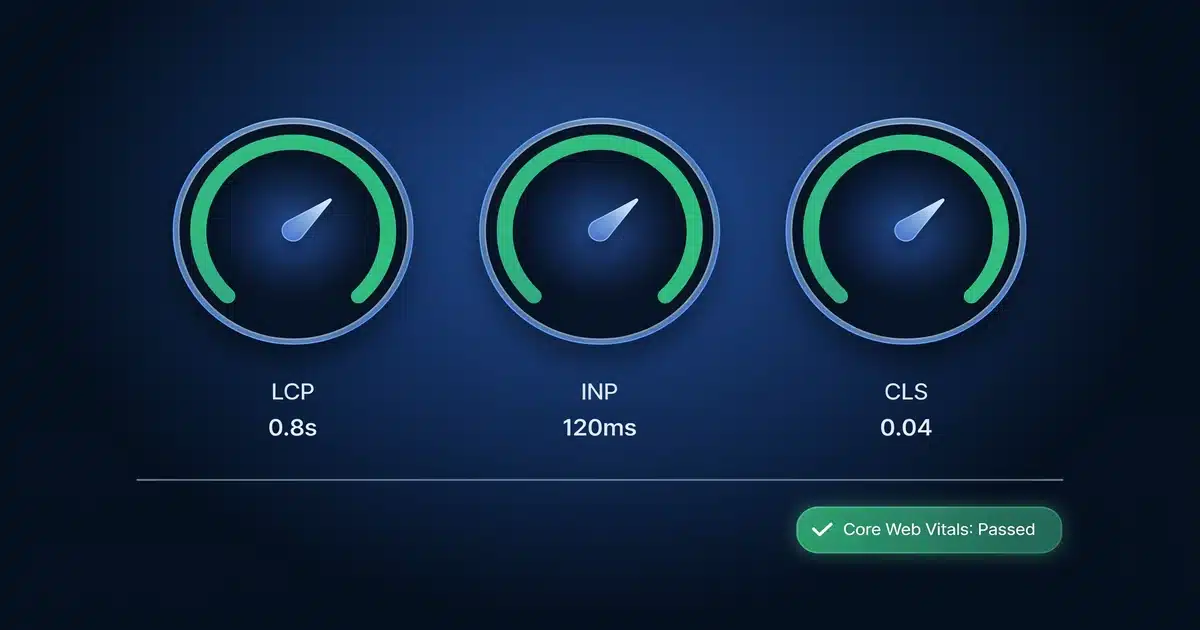
Core Web Vitals are three metrics Google uses to measure real-world page experience. You don’t need a deep technical background to understand them — just a working sense of what each one tracks.
Your theme touches all three, and here’s exactly how.
How Your Theme’s Code Actually Affects Each Metric
Most articles tell you “pick a lightweight theme” without explaining the mechanism. Here’s what’s actually happening under the hood.
How Does Theme Weight Affect LCP?
Every theme ships a baseline amount of CSS and JavaScript, loaded before your content can render. A framework-heavy theme like Divi or Avada can add 300-600 KB of CSS and JS just for the theme shell, before you’ve added a single plugin. A coded, lightweight theme like GeneratePress ships closer to 15-30 KB.
That gap matters because CSS is render-blocking by default. The browser won’t paint your hero image or headline until it’s finished downloading and parsing every stylesheet the theme queues up. Custom web fonts loaded by the theme add another layer of delay, since the browser often waits on font files before finalizing text layout.
Does Builder-Generated HTML Cause CLS?
Page builder themes tend to wrap content in deeply nested divs — five, six, sometimes ten layers deep for a single paragraph. This bloats your DOM size, which slows down how fast the browser can calculate layout, and it increases the odds of layout shift if any element (an ad, a font swap, a lazy-loaded image) resolves after the initial paint.
Coded themes generally output flatter, more predictable HTML, which gives the browser fewer surprises to correct mid-render.
How Does Theme JavaScript Affect INP?
INP is where builder-based themes tend to struggle most. Themes built around visual builders often load JavaScript for features you’re not even using on a given page — sliders, popups, animation libraries — because the theme can’t always tell in advance which elements a page will need. That extra script execution competes with the browser’s main thread, delaying how fast it can respond to a click or tap.
Lightweight themes tend to load JavaScript conditionally, only when a specific block or feature is actually present on the page.
Lightweight Themes vs. Page Builder Themes: The Real CWV Difference
Here’s how the two theme categories typically compare in real-world testing. These are approximate ranges based on common configurations, not guarantees — your results depend on hosting, plugins, and content.
| Factor | Lightweight Coded Themes (GeneratePress, Astra, Kadence) | Page Builder Themes (Divi, Avada) |
|---|---|---|
| Theme CSS/JS size | 15-40 KB | 300-600+ KB |
| Typical DOM elements | 800-1,500 | 2,000-4,000+ |
| Average mobile LCP | 1.8-2.5s | 3.0-4.5s |
| INP risk | Low — conditional script loading | Higher — builder scripts often load site-wide |
| CLS risk | Low — flatter HTML structure | Moderate to high — deep nesting, dynamic elements |
| Customization via builder | Yes, works with Gutenberg or third-party builders | Built-in visual builder |
| Best for | Speed-first sites, blogs, small business | Highly custom visual layouts where speed is secondary |
If your CWV scores matter more than pixel-perfect drag-and-drop design, the lightweight column is where you want to be. If you try GeneratePress free and compare it against your current theme’s PageSpeed score, the difference usually shows up immediately. Not sure whether the free version covers what you need, or if it’s worth stepping up to a paid plan? Our guide on free vs. premium WordPress themes breaks down exactly when the upgrade pays for itself.
How to Audit Your Current Theme’s Core Web Vitals Impact
Before switching themes, confirm the theme is actually your bottleneck. Here’s the process we use:
Run PageSpeed Insights
Test your homepage and one inner page. Note your LCP, INP, and CLS scores under both Lab and Field data tabs.
Disable heavy plugins temporarily
Do this on a staging site, then re-test. If scores barely change, your theme and hosting are the bigger factors.
Check the “Reduce unused CSS/JavaScript” warnings
Look inside PageSpeed Insights. If most of the flagged files come from your theme’s folder rather than plugin folders, that’s a direct signal.
Install Query Monitor
Use the free Query Monitor plugin to see exactly how many scripts and stylesheets your active theme enqueues on a typical page load.
Switch to a lightweight theme on staging
GeneratePress and Astra both offer free versions. Re-run PageSpeed Insights using the same page and compare the numbers side by side.
Fastest WordPress Themes for Core Web Vitals in 2026
Based on the testing and audit process above, these four consistently perform well. All four support the current version of WordPress and PHP 8.0+, work with WooCommerce, and support multisite installs — so compatibility isn’t a differentiator here. What separates them is price, feature depth, and how much design flexibility you’re trading for speed.
GeneratePress — Best Budget / Best Overall for Speed
One of the lightest coded themes available, with a base file size under 30 KB. Works cleanly with the block editor and most major page builders without adding bloat.
Pricing: Free version on WordPress.org; Premium is $59/year (or $249 one-time for lifetime access), covering unlimited sites.
Astra — Best for Beginners Who Still Want Speed
Slightly more feature-rich than GeneratePress out of the box, with pre-built starter templates. Still ships a small CSS/JS footprint compared to builder-native themes.
Pricing: Free version on WordPress.org; Astra Pro starts at $47/year for the Essential bundle, up to $249/year for the Growth Bundle with full template library access.
Kadence — Best for Design Flexibility Without the Bloat
Balances design flexibility with performance, using conditional loading so unused blocks don’t add weight to pages that don’t need them.
Pricing: Free version on WordPress.org; Kadence Pro starts at $59/year, with a $299 lifetime plan for agencies managing multiple client sites.
Neve — Best Premium / Agency Pick
A solid choice for beginners who want speed without a steep learning curve, with straightforward customizer options and minimal default scripts.
Pricing: Free version on WordPress.org; Neve Premium starts at $69/year, with an Agency plan at $199/year covering unlimited client sites.
| Theme | Base Size | Free Version | Premium From |
|---|---|---|---|
| GeneratePress | <30 KB | Yes | $59/yr |
| Astra | Small footprint | Yes | $47/yr |
| Kadence | Conditional loading | Yes | $59/yr |
| Neve | Minimal default scripts | Yes | $69/yr |
Final Recommendations by Use Case
Perfect Fit
Prioritizing PageSpeed scores? GeneratePress or Astra deliver the leanest footprint for the money.
Good Fit
Want a fast site without touching code? Astra and Neve both ship beginner-friendly starter templates.
Good Fit
Building multiple lightweight client sites? Kadence and Neve offer agency/lifetime licensing.
Not Ideal
Need pixel-perfect custom layouts on every page, or already deep into an Elementor/Divi workflow? A lightweight theme may not be worth the rebuild — speed will be a bigger tradeoff against design complexity.
Pricing last verified: July 2026. All prices in USD and subject to change — check each vendor’s page for current rates before purchasing.
Bottom Line
Your theme sets the performance ceiling for your entire site. You can compress every image and cache every page, but a bloated theme will still hold back your LCP, INP, and CLS scores. Start with the audit steps above to confirm your theme is the problem, then move to a lightweight, coded theme before layering on caching and CDN optimization. Pairing a lightweight theme with the right WordPress hosting speed factors tends to compound the improvement even further.
Frequently Asked Questions
Do WordPress themes affect Core Web Vitals?
Which WordPress theme is best for Core Web Vitals?
Does switching WordPress themes improve site speed?
Can a WordPress theme cause CLS issues?
Is Elementor bad for Core Web Vitals?
How do I check if my theme is slowing down my site?
WP Essentials Hub — Your Complete WordPress Essentials Hub
I’m Shamim Sarker, the founder and lead reviewer at WP Essentials Hub — a dedicated WordPress toolkit review site where I help website owners, bloggers, and developers find the right tools to build, grow, and secure their WordPress sites.
With 8+ years of hands-on WordPress experience, I’ve personally built, tested, and troubleshot hundreds of websites. I cover themes, page builders, plugins, hosting, domains, coupons, and deals — all tested on live WordPress sites with my own money. No paid placements. No vendor influence. Just real testing and real results.